One engine, two sister sites
Fontspring and Font Squirrel operate under the same corporate umbrella, and they share font identification technology. Font Squirrel's font identifier is powered by Fontspring's Matcherator engine, so whichever site you start from, the same matching runs against the same catalogue of over 900,000 fonts. The difference is what the results offer you: when the engine identifies a font, it shows the free options available on Font Squirrel alongside the paid premium matches available on Fontspring.
 Font Squirrel
Free
The free resource. Focused entirely on curation: a hand-picked library of high-quality fonts that are 100% free for commercial use, funded by advertising and affiliate links rather than font sales.
fontsquirrel.com/matcherator Fontspring
Paid
The premium marketplace. Commercial, paid licensing from top type foundries, specialising in simple perpetual licences with no complex usage restrictions and no subscription fees.
fontspring.com/matcheratorIdentification itself is free on both sites, runs in the browser with no software to install, and needs no account. Downloading is where they part company: a match hosted on Font Squirrel is free for commercial use, while a match on the Fontspring side must be purchased — most of the 900,000+ catalogue is commercial, and even typefaces that are free on other sites (Google Fonts, DaFont, and similar) are typically sold there. Fontspring offers a limited selection as free trial fonts, but downloading one still requires creating a free Fontspring account.
Where the Matcherator particularly shines is in identifying display and decorative fonts — the bold, expressive typefaces used in headlines, logos, posters, and branding. Its matching engine performs particularly well on this category, making it the recommended choice when you're trying to identify a striking headline font from an advertisement or a distinctive logo wordmark. Outside that category, though — connected scripts, handwritten lettering, heavily stylised serifs, or text photographed at an angle — results become noticeably less reliable, as our stress test below shows.
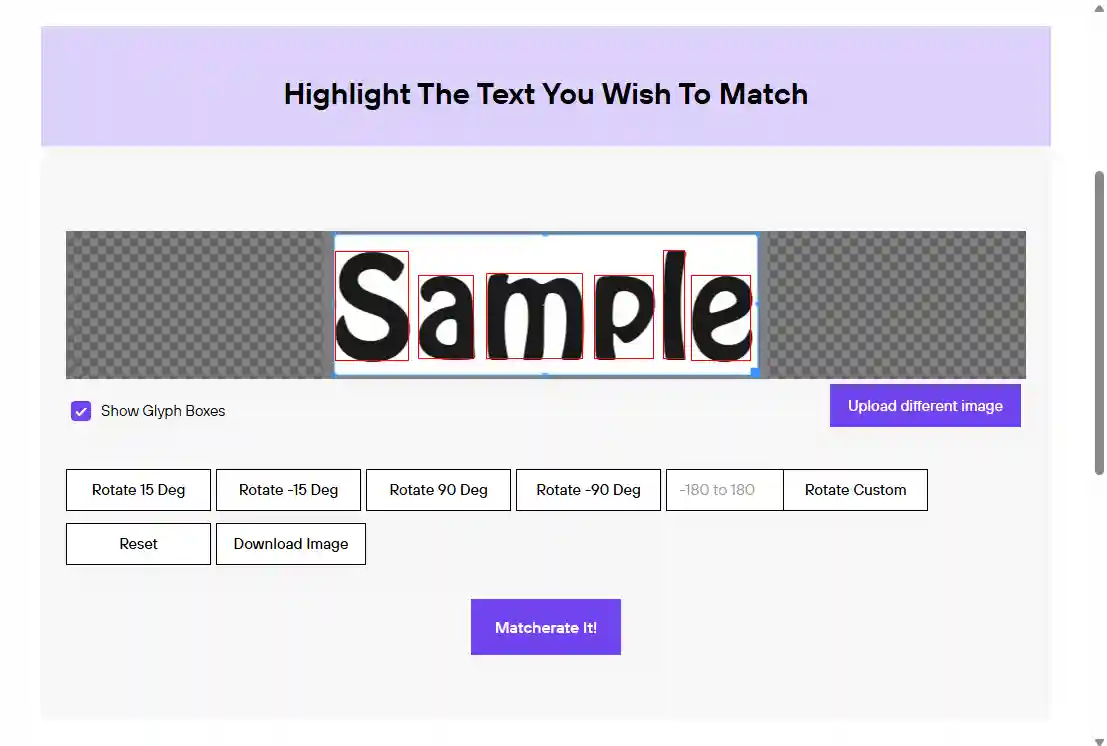
After you upload an image, the tool automatically draws a glyph box around every letter it detects, and gives you quick rotate controls (15°, 90°, or a custom angle) to straighten text that's tilted, sideways, or upside down before matching. Because the engine compares several letterforms at once rather than a single glyph, this upfront correction step meaningfully improves accuracy.
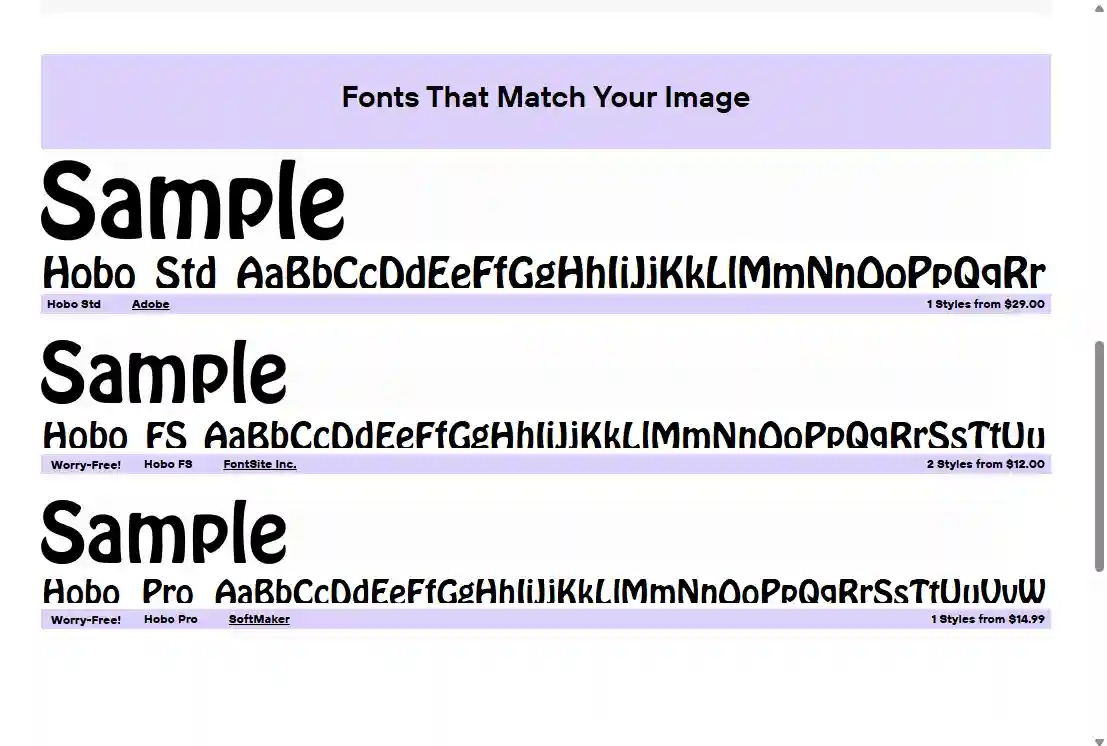
Results link directly to each font's page, showing the font rendered in your own text, the foundry, the number of styles, and — on the Fontspring side — pricing. Free matches point to their Font Squirrel download page instead, where the licence is already commercial-use clear. Fonts marked with a "Worry-Free!" badge come with Fontspring's simplified licensing already built in, so you always know exactly what you're paying for and what rights you receive.
What the Matcherator offers
Fontspring's matching engine analyses the letterforms in your uploaded image and identifies candidate typefaces by cross-referencing glyph shapes, stroke weights, and distinctive design features — the same engine behind Font Squirrel's identifier.
Trained with particular depth on bold, expressive, and decorative typefaces. Ideal for identifying headline and logo fonts.
Automatically boxes every letter it detects in your image, and offers one-click 15°, 90°, and custom-angle rotation to straighten tilted or sideways text before matching.
Identified fonts show the free, commercial-use options hosted on Font Squirrel alongside the paid premium matches sold on Fontspring, so you can see both routes to the same typeface.
Every match links to its own page — a free Font Squirrel download, or a Fontspring product page with pricing and style count. Fonts marked "Worry-Free!" include simplified licensing built in.
Use the Matcherator on either site without creating an account or handing over an email address. Open the page, upload your image, and get results — no friction, no sign-up forms.
Pros & Cons
Strengths
- Particularly strong at identifying display, decorative, and headline typefaces — the category most identification tools find challenging.
- Identifying a font is completely free on both sites, with no monthly limits and no account required — simply open and use.
- Results show free Font Squirrel downloads alongside paid Fontspring matches, so a no-cost, commercial-use option surfaces whenever one exists.
- Every paid result links to a clear product page with pricing and style count, and fonts marked "Worry-Free!" include simplified licensing built in — so you know exactly what you'd be buying.
- Runs entirely in the browser — no software to download or install, and works the same on Windows or Mac.
Limitations
- In our stress test, connected script and handwritten lettering defeated the automatic glyph detection entirely — it required pre-editing the image outside the tool before any match was possible.
- Matches can rank very low or be missing outright: a well-known handwritten font only appeared after manual letter entry, buried at position 11, and its free Google Fonts and DaFont versions never surfaced at all.
- Perspective-distorted or photographed signage defeated it completely in testing — the rotate tools only correct flat tilt, not skew, so no usable match could be obtained.
- A smaller catalogue than the largest dedicated identifiers (900,000+ vs. 1.2 million+) and limited to fonts listed on Fontspring or Font Squirrel — a font sold or hosted elsewhere won't appear.
- Font Squirrel's free library is hand-curated and therefore small, so most matches land on the Fontspring side and must be purchased — fonts that are free elsewhere often carry a price there, and even free trial fonts require a Fontspring account to download.
- Cannot scan fonts already installed on your computer, unlike desktop tools such as Find my Font.
How to use the Matcherator
The steps are identical on either site — these screenshots are from Fontspring. Upload, highlight, and match, all with no account needed. You'll only need to sign up if you go on to buy a font from Fontspring; free Font Squirrel matches download without an account.
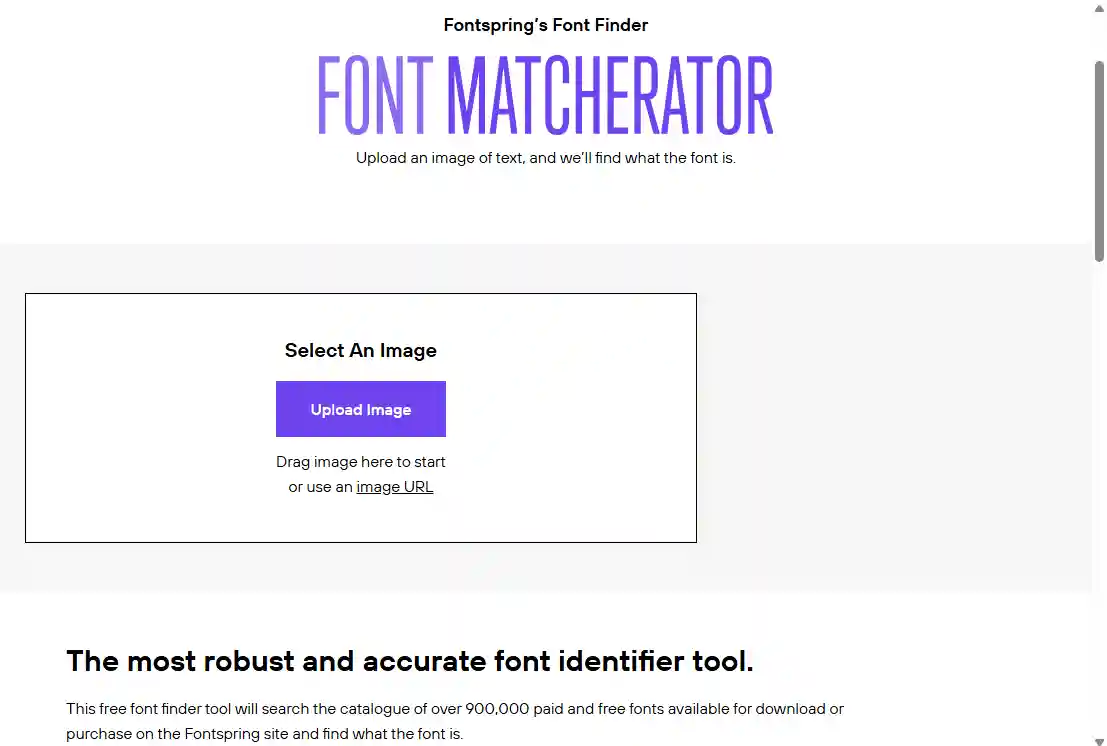
Go to fontspring.com/matcherator or fontsquirrel.com/matcherator — either one — and click "Upload Image", or drag an image onto the page, or paste an image URL. For best results, use a high-resolution image where the letterforms are clearly defined and well-contrasted.
Draw a box around the word you want to match. The Matcherator automatically outlines each letter with its own glyph box — toggle "Show Glyph Boxes" to check them. If the text is tilted, sideways, or upside down, use the Rotate 15°, 90°, or Custom buttons to straighten it, then click "Matcherate It!".
Results appear as a ranked list, each rendered in your own text so you can compare letterforms directly. Free options hosted on Font Squirrel are shown alongside the paid premium matches on Fontspring, with the foundry name, number of styles, and starting price for every commercial match, and a purple "Worry-Free!" badge flagging fonts with simplified licensing built in.
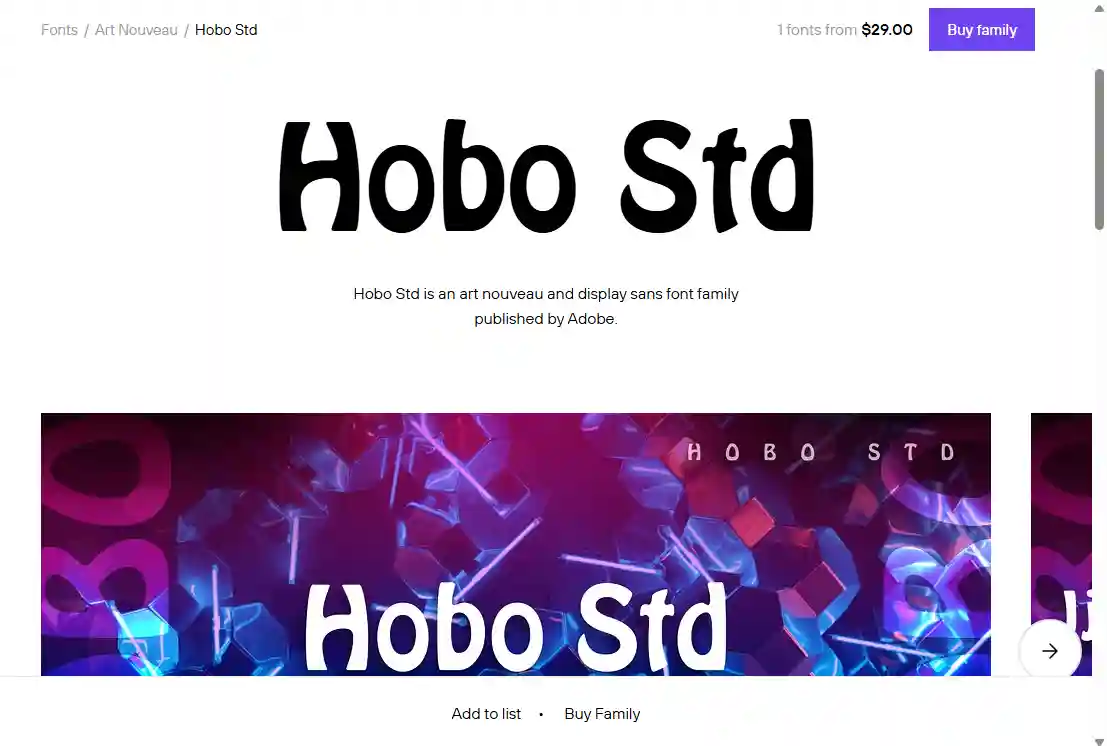
Click through to a matched font's page to see full specimen images, available styles, and pricing. A free match downloads straight from Font Squirrel with a licence that's already clear for commercial use; buying on Fontspring — or downloading one of its occasional free trial fonts — requires creating a free Fontspring account.
Real-world identification results
The same five test images used across our reviews, submitted to the Matcherator to see how it performs beyond its display-font sweet spot. Because Fontspring and Font Squirrel share the one engine, these results apply equally to both sites — we ran the test once.
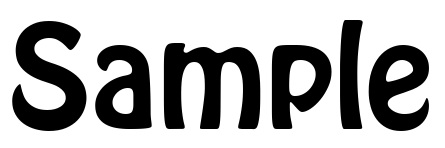
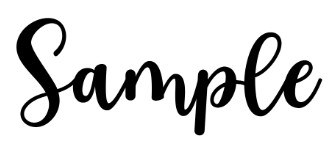
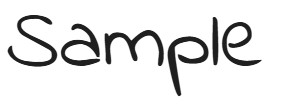
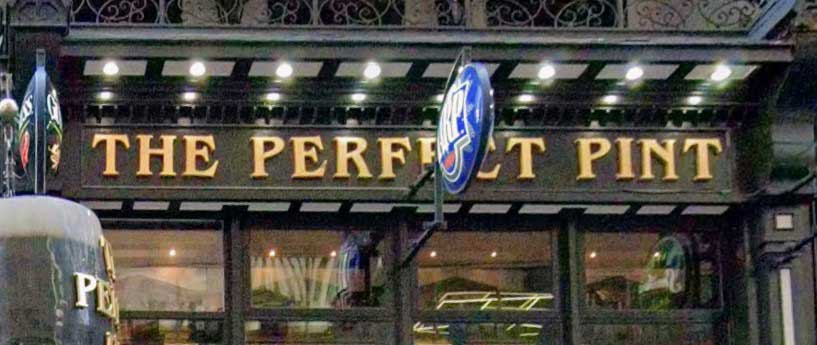

Free to identify — free or paid to download
The Matcherator itself is free to use on both sites with no restrictions: no sign-up, no monthly limits, no premium tier. What you pay from there depends on which side of the family hosts the font. Anything in Font Squirrel's curated library is 100% free for commercial use and downloads without an account — the site is funded by advertising and affiliate links. Fontspring is a premium commercial marketplace, not a free font library: most matched fonts must be purchased, even typefaces that are free on other sites typically carry a price there, and downloading anything — including its limited free trial fonts — requires a free Fontspring account. Paid fonts use perpetual, one-time licensing, so there are no ongoing subscription fees once you buy.
Try the Matcherator now
Upload your image and get font matches in seconds — completely free, no sign-up required. Same engine either way: start at Fontspring for the full commercial catalogue, or at Font Squirrel if you want free commercial-use fonts first.
More ways to find a font from an image

Matches activate in Creative Cloud apps.

Best for Chinese, Japanese and Korean.

Human experts for custom lettering.
Last updated · See the full comparison table
★★★★★ Identified in the top 3 results
★★★★☆ Identified in top 4–10 results
★★★☆☆ Identified after the 10th result
★★☆☆☆ Not identified — only close similars returned
★☆☆☆☆ Complete miss
Comments
No comments yet. Be the first to share your experience.
Leave a comment