
The go-to option for CJK typefaces
Nearly every font identification tool is built around the Latin alphabet. Upload a Chinese shop sign or a Japanese book cover to WhatTheFont or Font Matcherator and you will usually get nothing back, because the underlying databases simply do not index CJK typefaces. LikeFont exists to fill exactly that gap, and it handles Latin type as well — which makes it the natural second opinion when a Western tool comes up empty.
The service is free to use and needs no account for a basic lookup. You upload an image, mark the text you are interested in, and the engine returns a ranked list of candidate typefaces. The site also advertises desktop clients and mobile apps under its Download and Client menus — but we could not get any of them to download, despite repeated attempts, so treat LikeFont as a browser tool until that changes.
Scale is the other thing worth knowing. LikeFont puts its index at 2,861,747 fonts — comfortably more than twice the 1.2 million WhatFontIs claims, and an order of magnitude beyond the Latin-only services. A large share of that is CJK type that simply has no counterpart elsewhere, which is why a search that returns nothing on a Western tool can still land here.
If your work regularly involves East Asian lettering — packaging, signage, games localisation, or anything sourced from Chinese or Japanese design — LikeFont is worth keeping bookmarked next to a Latin-focused tool rather than instead of one. The two cover different halves of the problem.
What LikeFont offers
Recognises CJK lettering, which the major Latin-focused identifiers do not index at all. This is the single strongest reason to reach for LikeFont.
Latin typefaces are supported alongside CJK, so a single upload can be tried here when a Western tool returns nothing useful.
Identification is free, with no subscription needed for ordinary lookups and no account required to run a basic search.
Threshold, noise, rotation, lean and flip controls let you clean up a difficult photograph before matching — the reason it handled images that defeat one-click rivals.
Every match renders in your own text at a size, height and width you set, with Simplified, Traditional and Japanese toggles for comparing CJK candidates side by side.
Uploads can be posted to LikeFont's community, where other users help identify type the engine can't place on its own — a useful fallback for custom lettering.
Pros & Cons
Strengths
- Identifies Chinese, Japanese and Korean typefaces — a gap that WhatTheFont, Font Matcherator and most other mainstream tools leave completely unaddressed.
- A stated 2,861,747 fonts — the largest index of any tool we have reviewed, more than double WhatFontIs and far beyond the Latin-only services.
- Free for ordinary use, with no account needed to run a basic lookup.
- Results render live in your own text, at your chosen size and proportions, with Simplified, Traditional and Japanese toggles for comparing CJK candidates.
- Handles Latin type as well, so it works as a useful second opinion rather than a single-purpose tool. It scored 4.2/5 in our stress test — the strongest result of any web-based tool we have reviewed, beaten only by the desktop Find my Font.
- Hands-on image controls — contrast threshold, noise reduction, rotation, lean and manual letter picking — let you rescue difficult images. This is how it identified a perspective-distorted photograph that no other web-based tool we tested could place.
Limitations
- Connected scripts are a dead end. Because the engine works letter by letter, joined-up lettering can't be segmented and there is no tool to split touching strokes — our script test returned no match at all.
- Difficult images need hands-on work. Two of our four successful identifications only worked after manual threshold, noise and rotation adjustment plus letter selection — powerful, but not the one-click experience rival tools offer.
- Licence labels can't be trusted. Every result in our testing was tagged Non-Commercial, including Hobo, which is a commercial typeface — and following its download through leads to a payment page. Always verify licensing with the foundry before using a font.
- The "Download" button doesn't give you the font. It opens a form that takes your details and returns a quote through a partner site, fontgoods.com — so acquiring a typeface means handing over contact information and waiting.
- Without an account you must confirm each segmented letter by hand before the search will run — workable, but slow compared with tools that do it automatically.
- The interface is translated from Chinese and reads awkwardly in places, and much of the surrounding site, help text and font catalogue remains Chinese-language.
- The desktop and mobile apps advertised under the Download and Client menus could not be obtained — repeated attempts to download them all failed, so in practice this is a browser-only tool.
How to use LikeFont
Upload, confirm the letters, and review the ranked matches — with the letter step skippable once you have a free account.
Open english.likefont.com and press Upload Image, or drag or paste the image straight onto the page. An Image URL tab accepts a link instead of a file. Two checkboxes sit below the upload area — one for the licence agreement, one consenting to post the image to the Identification Community, which you can untick if the image isn't yours to share.
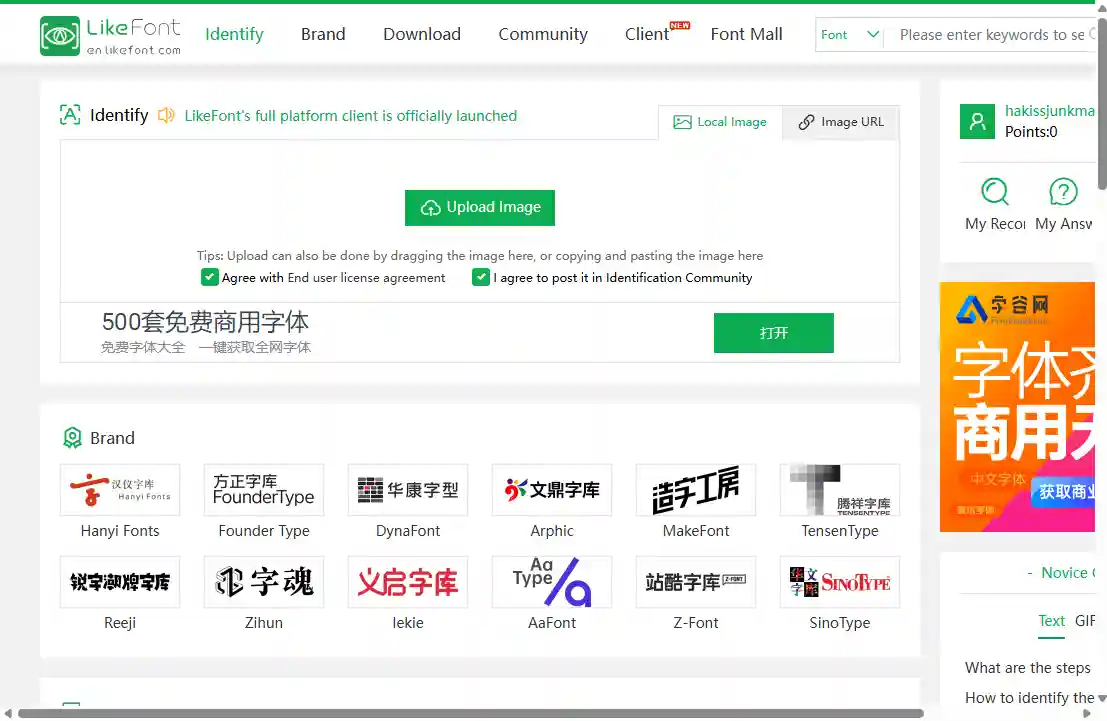
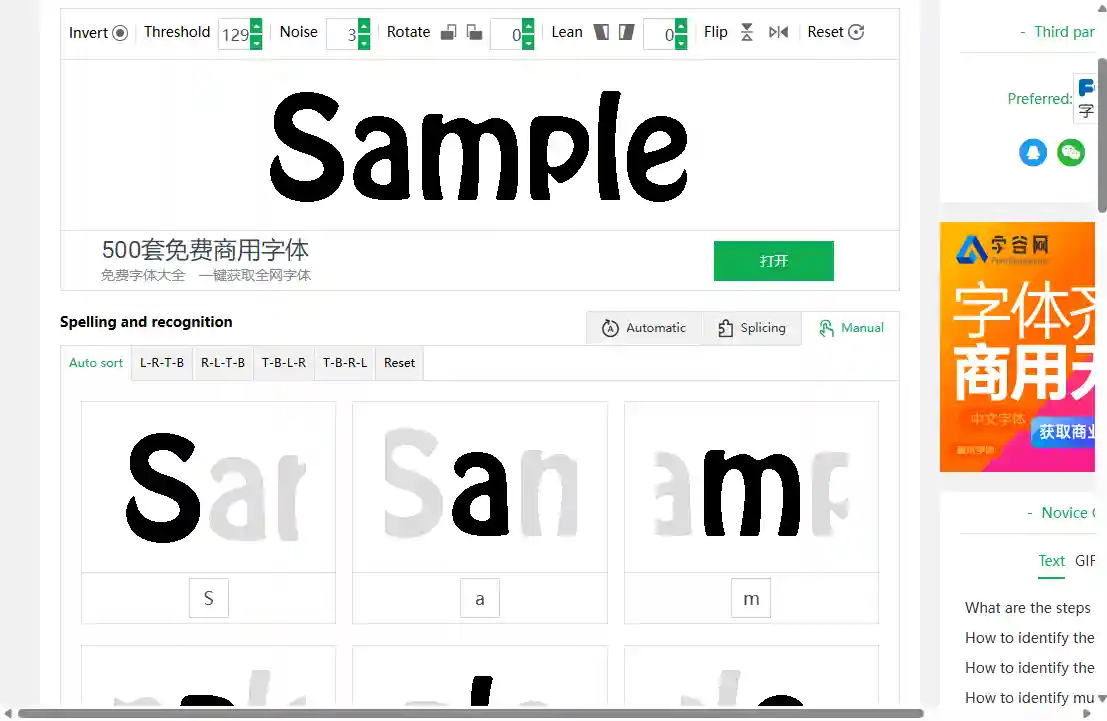
A toolbar across the top gives you Invert, Threshold, Noise, Rotate, Lean and Flip to sharpen the text before matching. Below it, LikeFont segments each glyph and asks you to type the matching character underneath — with Automatic, Splicing and Manual modes, plus reading-order buttons (left-to-right, right-to-left, and both top-to-bottom variants) that make vertical East Asian text workable. Registering a free account skips this step entirely, which is the single biggest time-saver on the site.
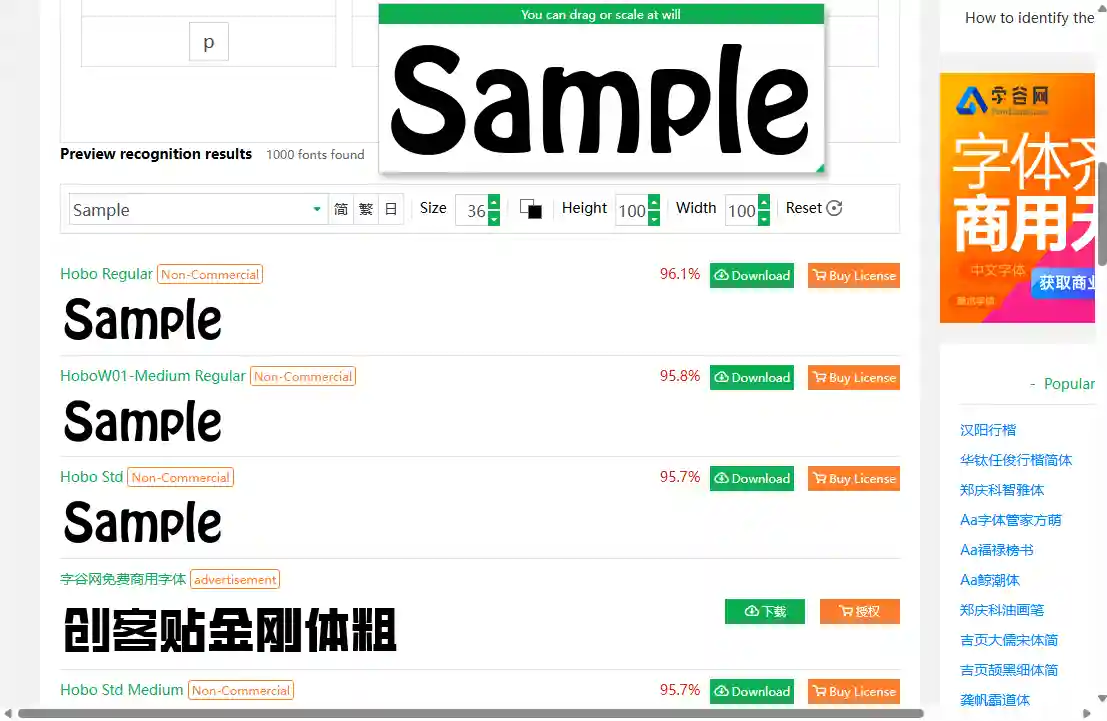
Each candidate is listed with a confidence score, a licence tag, and Download and Buy License buttons. A preview bar at the top renders every result in your own text at whatever size, height and width you choose, with Simplified, Traditional and Japanese toggles alongside. Two warnings: sponsored listings are mixed into the ranking behind a small "advertisement" label, and the licence tags are not trustworthy — in our testing every result was marked Non-Commercial, including typefaces that are plainly commercial.
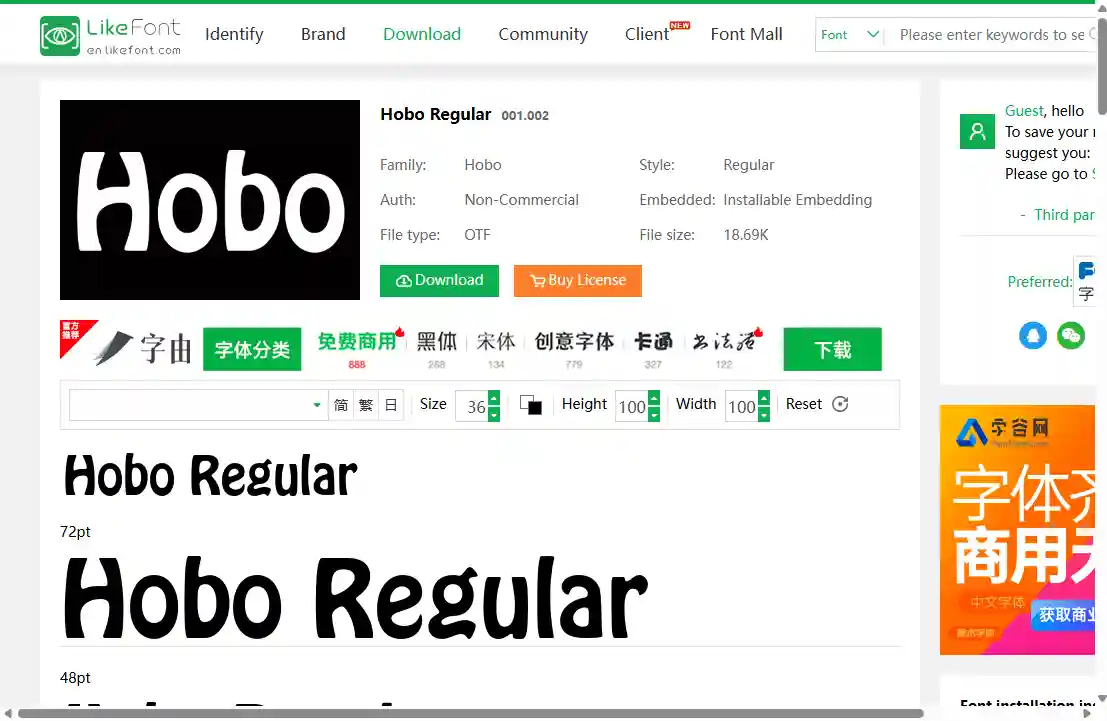
Clicking a match opens a detail page with the family and style, the licence type, the embedding permission, the file format and size, and full specimen previews at several point sizes. Be aware that the Download button does not hand you a file: it opens a form that collects your details and returns a quote through LikeFont's partner site, fontgoods.com.
Real-world identification results
The same five test images used across our reviews, submitted to LikeFont.
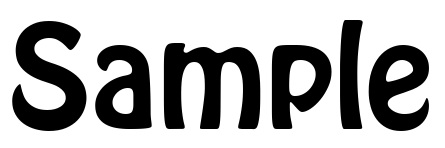
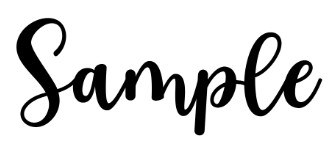
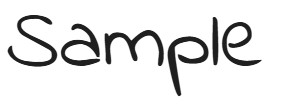
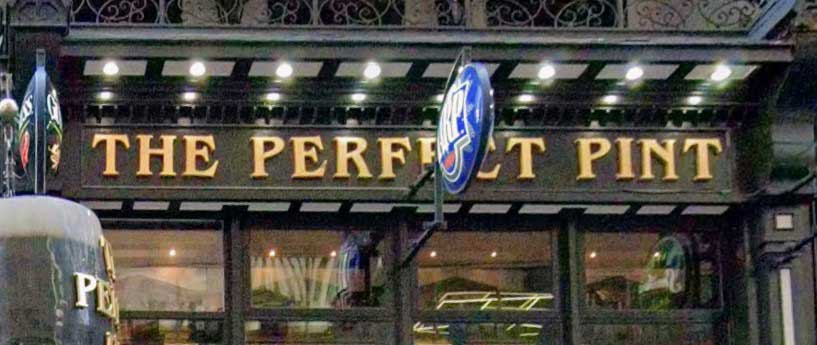

Free to use
Identification is free, with no paid tier or search quota that we could find. No account is needed for a lookup, though registering — also free — removes the manual letter-confirmation step and makes the tool considerably quicker to use. Acquiring a font is a separate matter: results carry Buy License links, and the Download button opens a quote form handled by LikeFont's partner site, fontgoods.com, rather than returning a file directly.
Try LikeFont now
Search close to 2.9 million fonts for Chinese, Japanese, Korean and Latin typefaces — free, straight from your browser.
More ways to find a font from an image

Human experts for custom lettering.

Free AI engine for clean commercial type.

Searches 1.2M+ fonts, with free alternatives.
Last updated · See the full comparison table
★★★★★ Identified in the top 3 results
★★★★☆ Identified in top 4–10 results
★★★☆☆ Identified after the 10th result
★★☆☆☆ Not identified — only close similars returned
★☆☆☆☆ Complete miss
Comments
No comments yet. Be the first to share your experience.
Leave a comment